



















































































What Makes the Apple iPad Pro 13 the Best Tablet in 2026?
What Makes the Apple iPad Pro 13 the Best Tablet in 2026?
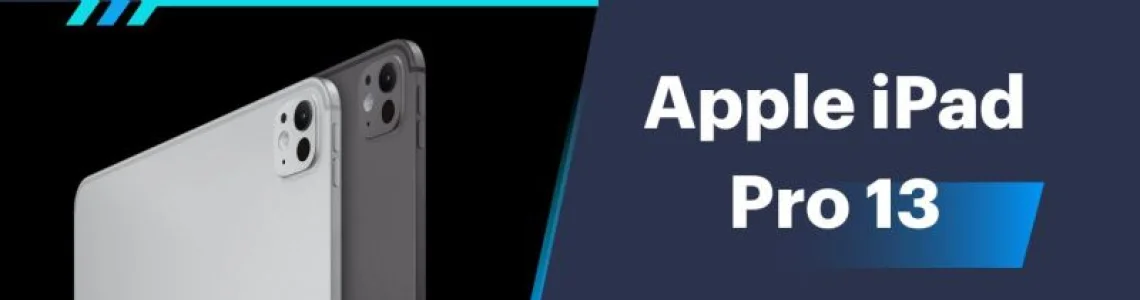
The Apple iPad Pro 13 is not simply a tablet — it is a complete work platform that challenges the boundaries of what portable computing can deliver. With the eighth generation arriving powered by the M5 chip, the Apple iPad Pro 13 represents the absolute pinnacle of what Apple has produced in the tablet world. A Tandem OLED display with exceptional resolution, an M5 chip that outperforms many laptop computers, and a body measuring just 5.1mm thin make it the slimmest device Apple has ever created. If you are searching for genuine professional-grade performance in a form you can carry anywhere, the Apple iPad Pro 13 is the definitive answer.
What Are the Key Features of the Apple iPad Pro 13 in 2026?
The Apple iPad Pro 13 specifications in its M5 edition place this device in an entirely different category from every other tablet on the market. From the processor to the display to the battery and camera, every element was engineered to be a benchmark in its class. Whether you are a graphic designer, video editor, student, or executive who needs reliable performance on the move, the Apple iPad Pro 13 eliminates the boundaries that once separated a tablet from a full computer.
How Powerful Is the Processor in the Apple iPad Pro 13 in 2026?
The M5 chip in the Apple iPad Pro 13 is the most powerful chip Apple has placed in any tablet to date. Built on enhanced 3-nanometer technology with eighth-generation CPU and GPU cores, the M5 delivers a 9-core CPU configuration (3 to 4 high-performance cores plus 6 high-efficiency cores) alongside a 10-core GPU. The numbers on paper are impressive, but what you actually feel is the difference in the demanding applications you use every day.
What Are the Full M5 Chip Specifications?
The M5 chip in the Apple iPad Pro 13 carries 9 to 10 CPU cores in a hybrid high-performance and high-efficiency design, a 10-core eighth-generation GPU with Dynamic Caching and third-generation hardware-accelerated ray tracing delivering up to 1.6 times the graphics performance of M4, 12GB LPDDR5X unified memory in the base configurations (256GB and 512GB storage), and 16GB LPDDR5X in the 1TB and 2TB configurations. The advanced Neural Engine is what runs Apple Intelligence fully and locally on the device. The M5 Media Engine's support for simultaneously encoding five streams of ProRes 4K video makes the Apple iPad Pro 13 a genuine professional editing platform, not a marketing headline.
How Does the iPad Pro 13 Performance Compare to Previous Generations?
Comparing M5 to the previous M4 chip reveals meaningful progress across several dimensions. GPU performance is up to 60% higher in intensive graphical workloads thanks to the improved ray tracing architecture. Internal NVMe storage is measurably faster, improving load times for large files. Wi-Fi 7 replaces the Wi-Fi 6E in M4, delivering faster downloads and streaming. Bluetooth 6 reduces latency with Apple accessories. In Geekbench 6 testing, the M5 in the Apple iPad Pro 13 achieves above 4000 in single-core and above 14,000 in multi-core performance — figures that surpass many mid-range Intel-based laptop computers.
What Are the Display Features of the Apple iPad Pro 13 in 2026?
The Apple iPad Pro 13 display is the most advanced Apple has built into any tablet. The Tandem OLED technology that Apple introduced with the M4 generation and carried through into M5 stacks two OLED panels on top of each other, doubling the brightness compared to conventional OLED. The result is color depth that only OLED can deliver combined with brightness levels that compete with Mini-LED displays in other devices.
How Bright and Sharp Is the 13-Inch Liquid Retina XDR Display?
The Apple iPad Pro 13 display delivers a resolution of 2752 × 2064 pixels at 265 pixels per inch, with full-screen brightness reaching 1000 nits and peak brightness reaching 1600 nits for HDR content. In outdoor use, the display remains clearly readable even under the intense direct sunlight common to Kuwaiti conditions. HDR10 and Dolby Vision support makes watching content on it an experience that recalls the best home cinema screens. Contrast ratio reaches one million to one, thanks to OLED's ability to completely turn off individual pixels in dark areas.
Does the iPad Pro 13 Support ProMotion and True Tone?
Yes, fully. ProMotion with its adaptive 120Hz refresh rate (scaling from 1Hz to 120Hz) delivers exceptional smoothness when scrolling and writing with Apple Pencil Pro. True Tone automatically adjusts color temperature based on ambient lighting so the display looks natural to your eyes in any environment. The P3 Wide Color gamut exceeds sRGB by 25%, making the Apple iPad Pro 13 the ideal reference standard for reviewing photos and colors in professional design work.
How Long Does the Apple iPad Pro 13 Battery Last in 2026?
The Apple iPad Pro 13 battery at 38.99 watt-hours is the largest in the history of this product line. In combination with the enhanced efficiency of the M5 chip and the intelligent power management of iPadOS 26, this battery delivers comfortable all-day endurance even under intensive use conditions.
How Fast Does the iPad Pro 13 Charge?
Apple added fast-charge support to the M5 iPad Pro, enabling charging from zero to 50% in approximately 30 minutes with a 40-watt or higher adapter. Testing conducted by Apple in August and September 2025 confirms this figure. Full charging takes approximately two and a half to three hours. The box includes a 20-watt adapter, which is functional but considerably slower. To take full advantage of fast charging on the Apple iPad Pro 13, purchasing a separate 40-watt or 67-watt adapter is recommended.
How Efficient Is the Battery in Daily Use?
Apple rates the Apple iPad Pro 13 at up to 10 hours of web browsing on Wi-Fi or video playback. In real-world mixed use covering reading, writing, video, and productivity applications, the device consistently delivers above eight hours of intensive use. In heavy video tasks such as exporting Final Cut Pro projects or running intensive 3D games, the battery depletes more quickly. In moderate work-day use — meetings, correspondence, browsing — the Apple iPad Pro 13 in Kuwait can complete a full working day without reaching for a charger.
What Are the Camera Capabilities of the Apple iPad Pro 13?
The camera philosophy on the Apple iPad Pro 13 differs fundamentally from iPhone cameras. The front camera is the true star of the show, engineered for professional video calls, while the rear camera serves a different role connected to documentation and creative workflows.
Does the iPad Pro 13 Support 4K Video Recording?
The Apple iPad Pro 13 features a 12MP Wide rear camera and a 12MP Ultra Wide TrueDepth front camera, with Center Stage, Smart HDR 4, and 4K video recording. The rear camera records 4K video at 24, 25, 30, and 60 frames per second, with ProRes support up to 4K at 30 frames per second. This makes the Apple iPad Pro 13 a credible secondary or field-review camera tool for professionals. The integrated LiDAR Scanner adds depth sensing for augmented reality applications and improved night photography, making the Apple iPad Pro 13 a more versatile creative production tool.
What Is the Front and Rear Camera Quality Like?
The 12MP Ultra Wide front camera is mounted horizontally in landscape orientation, which makes FaceTime calls and Zoom meetings look natural and unobstructed. Center Stage automatically tracks the speaker throughout a call. For still photography, the rear 12MP camera produces clear results suitable for documents and work materials, though users wanting genuine photography will still reach for their iPhone. The real advantage here is integration with Continuity Camera, which allows using your iPhone's superior camera system through the Apple iPad Pro 13 display to get the best of both devices.
What Storage Options Does the iPad Pro 13 Offer in 2026?
The Apple iPad Pro 13 covers a broad range of capacity needs. Apple offers the device in four storage configurations: 256GB, 512GB, 1TB, and 2TB, with 12GB of unified memory in the lower two tiers and 16GB in the upper two.
What Storage Size Is Right for Different Users?
256GB is appropriate for users who rely on iCloud and core productivity applications. 512GB suits students and creators who keep projects and files stored locally. 1TB serves photographers and professional designers working with RAW files and ProRes footage. 2TB is for professionals using the Apple iPad Pro 13 as a primary workstation. With the higher storage configurations, the 16GB of unified memory also unlocks, making the Apple iPad Pro 13 ready for the most demanding multi-application workflows imaginable.
Can Storage Be Expanded Through Cloud Services?
Yes — iCloud+ offers plans from 50GB up to 12TB per month. For Kuwait users, an iCloud+ subscription transforms the Apple iPad Pro 13 into a device that gives instant access to your complete photo library and file collection from anywhere. The Thunderbolt and USB 4 port available on this generation also allows connecting external SSDs at speeds up to 40 gigabits per second for users who need temporary additional storage during intensive projects.
How Does the Apple iPad Pro 13 Compare to Other Apple Devices in 2026?
Comparing the Apple iPad Pro 13 holds particular importance for anyone trying to understand where this device belongs in the full Apple ecosystem. Does it complement your iPhone? Does it replace a MacBook? Does it justify the large price premium over the standard iPad?
Is the iPad Pro 13 Better Than the iPhone 17 Pro Max for Productivity?
This is not a matter of preference but a question of entirely different use cases. The Apple iPad Pro 13 and the iPhone 17 Pro Max are more complementary than competitive. Each has its proper domain.
How Do Their Processors Compare in Demanding Tasks?
The iPhone 17 Pro Max runs the A19 Pro, while the Apple iPad Pro 13 runs the M5, which is itself an evolution of the M-series designed specifically for intensive computing. The M5 outperforms in multi-core and graphics workloads by a wide margin, starting with 12GB of unified memory. In rapid single-task iPhone use, the A19 Pro offers faster individual response. The real gap appears in Final Cut Pro, AutoCAD, and DaVinci Resolve, where the Apple iPad Pro 13 is clearly superior.
Which Device Offers Better Multitasking?
iPadOS 26 introduced a redesigned windowing system that allows running multiple applications in freely resizable windows, bringing the Apple iPad Pro 13 closer to a macOS-like multitasking environment than at any previous point. The enhanced Stage Manager enables four simultaneous applications on screen with support for an additional external display. No iPhone model, regardless of generation, can match this level of multitasking on its screen.
How Does the iPad Pro 13 Compare to Earlier iPad Pro Generations?
The iPad Pro 2024 with M4 was a significant step forward by introducing an OLED display for the first time. The Apple iPad Pro 13 with M5 builds on that strong foundation with a faster processor, deeper AI capabilities, and updated connectivity.
Are There Meaningful Upgrades in Display and Performance?
The display remains the same between M4 and M5 generations — Tandem OLED with the same resolution and brightness — which means the comparison between the two generations centers on performance and connectivity. Wi-Fi 7 versus Wi-Fi 6E, Bluetooth 6 versus Bluetooth 5.3, and up to 60% higher GPU performance are the substantive improvements from M4 to M5. For users already on M4, upgrading is optional unless intensive gaming or locally run Apple Intelligence processing are priorities. For users on M2, M1, or older, upgrading to the Apple iPad Pro 13 with M5 represents an enormous and immediately perceptible difference.
How Does the Design and Build Quality Compare?
The Apple iPad Pro 13 in its Wi-Fi configuration weighs 579 grams at just 5.1mm thickness. This weight and thinness make extended holding far more comfortable than expected for a device of this screen size. The precision CNC-machined aluminum housing changed little between M4 and M5, which also means M4-generation iPad Pro cases are compatible with the M5 model.
Should You Choose the iPad Pro 13 Instead of a MacBook Air in 2026?
This is the hardest question many Kuwaiti users face. The answer depends entirely on what you do with your device the majority of the time.
The Apple iPad Pro 13 can fully replace a laptop in many scenarios: office work in Word, Excel, and email; graphic design with Procreate and Adobe Fresco; light-to-medium video editing with Final Cut Pro and DaVinci Resolve; browsing and media consumption; and presentations. It still faces limitations in heavy development environments where Xcode is restricted, complex file management workflows, and some specialized software that does not exist on iPadOS. For students, paired with the Magic Keyboard for iPad Pro 13 it becomes an outstanding option that may actually surpass MacBook Air in many use scenarios.
The Apple iPad Pro 13 advantages over MacBook Air include a Tandem OLED display that is clearly superior to the IPS panel in MacBook Air, Apple Pencil Pro adding a creative dimension no laptop offers, the flexibility of touch and tablet use, and a thinner and lighter form factor at comparable performance levels. The MacBook Air advantages include the greater flexibility of macOS with specialized software and complex file management, and an excellent built-in keyboard. The decision comes down to your specific workflow.
Why Is the Apple iPad Pro 13 Popular Among Kuwait Users in 2026?
The Kuwait market has high purchasing power and genuine appreciation for advanced technology. The Apple iPad Pro 13 serves this user who understands value and recognizes the long-term benefits of a device that will remain capable and supported for years.
Does Apple Offer Any Local Promotions or Trade-In Programs?
Apple does not generally offer direct discounts on new devices. However, during the back-to-school season from July through September, Apple and its authorized distributors offer packages including AirPods or Apple Pencil with the purchase of an Apple iPad Pro 13 at the standard device price. Trade-in programs available through Gait and other authorized Apple retailers in Kuwait allow exchanging your current device for a discount on the new one.
What Makes the iPad Pro 13 Suitable for Students and Professionals in Kuwait?
The Apple iPad Pro 13 represents both an educational and professional investment simultaneously. Moving between university, home, and the library with a 579-gram device featuring a 13-inch OLED display and all-day battery changes the way you study and work in a fundamental way.
With Apple Pencil Pro, notes taken in meetings and lectures become searchable and intelligent through applications like Notability and GoodNotes. Scribble converts handwriting in any text field to typed text automatically. The large screen makes reading research papers, textbooks, and side-by-side comparisons far more productive than any phone. Split View and Slide Over allow browsing references and writing simultaneously without switching between applications.
What Accessories Are Available for the Apple iPad Pro 13 in 2026?
The Apple iPad Pro 13 accessory ecosystem is an inseparable part of the overall experience. Apple and third-party manufacturers offer a wide range that transforms the Apple iPad Pro 13 from a tablet into a fully integrated workstation.
What Keyboards Work Best With the iPad Pro 13?
The Magic Keyboard for iPad Pro 13 is the first and best choice. With the new generation, Apple added a full Function Row at the top providing quick shortcuts for volume, brightness, Do Not Disturb, and other controls. A built-in battery that charges from the Apple iPad Pro 13 extends total usage time.
How Does Magic Keyboard Enhance Productivity?
The Magic Keyboard for iPad Pro 13 provides a 1mm key travel distance comfortable for extended typing, a precision trackpad that gives full iPadOS control as naturally as macOS, an adjustable viewing angle up to 100 degrees, and backlit keys. This combination transforms the Apple iPad Pro 13 into something that feels completely like an integrated laptop computer for office work scenarios.
Are Third-Party Keyboards Compatible?
Yes — any Bluetooth keyboard that works with iPadOS works with the Apple iPad Pro 13. Brands like Logitech and Brydge offer compatible options that may suit users who prefer a different design or lower price point. The Logitech Combo Touch in particular offers a protective cover, case, and keyboard in a single unit at a lower price than the Magic Keyboard. However, the deepest system-level integration remains exclusive to Apple's own keyboards.
What Is the Best Stylus for the iPad Pro 13?
Apple Pencil Pro is the ideal stylus for the Apple iPad Pro 13. Released with the M4 generation and fully compatible with M5 with all its capabilities, it features a 4096-level pressure sensor, tilt angle recognition, and the new Barrel Roll feature that senses stylus rotation to adjust brush direction in creative applications.
How Does Apple Pencil Pro Improve Drawing and Note-Taking?
Apple Pencil Pro delivers Haptic Feedback that creates the sensation of the stylus touching physical paper. The new Squeeze feature allows changing tools with a single squeeze. Built-in Find My helps locate the pencil if misplaced. Wireless magnetic charging by attaching it to the left side of the Apple iPad Pro 13 makes forgetting to charge it nearly impossible.
Are There More Affordable Alternatives to Apple Pencil?
The Apple Pencil with USB-C is Apple's lower-cost option offering solid basic functionality for students. From third parties, Logitech Crayon provides a decent digital stylus at a lower price. However, the advanced features including Barrel Roll, Squeeze, and Find My are exclusive to Apple Pencil Pro. Users who use the Apple iPad Pro 13 for professional drawing or design will recognize that Apple Pencil Pro is a necessity rather than a luxury.
What Are the Best Cases for Protecting the iPad Pro 13?
Protecting the Apple iPad Pro 13 with its ultra-thin 5.1mm body is essential rather than optional. The precision-machined aluminum housing is susceptible to scratching, and the OLED display is genuinely valuable.
The key requirement is that a case must not cover the Smart Connector or the side magnet for charging Apple Pencil Pro. Strong choices include the Smart Folio from Apple which props the device at a comfortable angle and supports automatic wake and sleep, Logitech Rugged cases providing stronger protection appropriate for active students, and Zugu Case which is well known for durability and multiple tilt angles. Avoid cheap cases that may block wireless charging or prevent Smart Connector use.
How Reliable Is the Apple iPad Pro 13 in 2026?
Reviews of the Apple iPad Pro across years consistently show a strong record of reliability. Apple is arguably the most consistent company for build quality and long-term software support for its tablet lineup. The Apple iPad Pro 13 continues this tradition.
Are There Any Known Hardware or Software Issues?
Some users of the Apple iPad Pro 13 with M4 reported observing minor flex in the housing under improper pressure given the 5.1mm thickness. Apple acknowledged this and provided handling guidance. The M5 comes with the same thickness. The practical solution is using a case that provides structural backing support from the first day of ownership. On the software side, iPadOS 26 brings Liquid Glass design improvements and a new windowing system, but some older applications may require updates to take full advantage of the new capabilities.
How Long Will Apple Support This Device With Software Updates?
Apple supports its devices with iPadOS updates for between 6 and 8 years. The Apple iPad Pro 13 with M5 chip launched in October 2025 should receive software support extending through at least 2031 to 2033. This makes purchasing it now a long-term investment with no concern about software obsolescence for years ahead.
Conclusion: Apple iPad Pro 13 — The Premier Professional Choice in Kuwait 2026
The Apple iPad Pro 13 with M5 chip is simply the best tablet available in 2026. A Tandem OLED display with no equivalent in any competing device, an M5 chip that challenges desktop computers, a complete accessory ecosystem with Apple Pencil Pro and Magic Keyboard, and software support extending for years ahead. Whether you are a university student in Kuwait, a designer, an accountant, or a senior executive, the Apple iPad Pro 13 adapts to your needs and grows with them over time. The M5 iPad Pro is available from $1,299 for the 13-inch model and delivers performance that matches or surpasses that investment at every level of use.
FAQs
Yes — Final Cut Pro, LumaFusion, and DaVinci Resolve on iPadOS deliver genuinely professional editing. The M5 chip supports simultaneously playing back five streams of ProRes 4K video, an extraordinary specification for a device of this size.
Leave a Comment